Proven Techniques to Keep Your WordPress Site Fast, Secure, and Search-Friendly in 2025
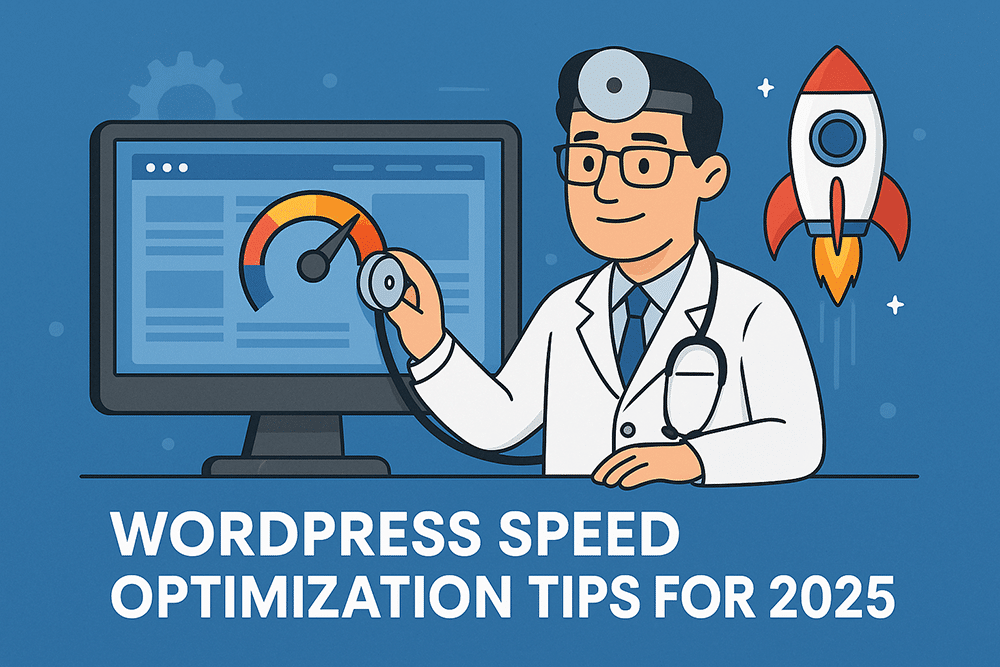
Your website’s speed isn’t just a nice-to-have anymore—it’s a lifeline. In 2025, with Core Web Vitals evolving and AI-driven search ranking factors growing smarter, a slow WordPress site is like a sluggish patient in need of emergency care. Fortunately, the Doctor is in!
Let’s diagnose the common causes of slow sites and prescribe proven treatments to keep your WordPress healthy, quick, and ready to perform.
1. Start with a Full Site Speed Checkup
Before you can fix performance issues, you need a full diagnosis.
Run your site through modern testing tools like:
Google PageSpeed Insights (2025 update) – Now integrates with Chrome UX data for more accurate field metrics.
GTmetrix – Still a great second opinion for waterfall analysis.
WebPageTest.org – Offers detailed render timings and Core Web Vitals visualization.
Doctor’s Tip: Always test on both mobile and desktop. Google ranks mobile experience first, and most users visit from phones.
2. Update to PHP 8.3 (or Later)
Many WordPress sites are still running outdated PHP versions—and it’s a silent killer for performance. PHP 8.3 offers faster execution, better memory handling, and improved security.
Prescription: Check your version under Tools → Site Health → Info → Server.
If it’s below 8.2, contact your host or upgrade through cPanel.
3. Use a Lightweight Theme and Disable Bloat
Your theme sets the tone—but it can also drag your site down.
Avoid themes packed with heavy scripts, unnecessary sliders, and outdated page builders.
Recommended lightweight themes for 2025:
GeneratePress
Astra
Blocksy
Kadence
If you’re using a multipurpose theme like Avada or The7, deactivate unused features or demos to lighten the load.
4. Optimize Images with Next-Gen Formats
The days of giant JPEGs are over. In 2025, WebP and AVIF formats reign supreme.
They offer drastically smaller file sizes without sacrificing quality.
Best image optimization plugins:
Imagify
Smush Pro
ShortPixel Adaptive Images
Doctor’s Tip: Set a maximum upload width (e.g., 1920px) in your media settings. Oversized images = slower pages.
5. Embrace Edge Caching and CDN Integration
Speed optimization in 2025 is all about edge delivery. Modern CDNs like Cloudflare, Bunny.net, or Jetpack CDN push your site content closer to visitors, reducing latency.
Pro move: Use Cloudflare’s Automatic Platform Optimization (APO) for WordPress. It caches dynamic pages at the edge—lightning fast even under traffic spikes.
6. Audit and Limit Plugins
Every plugin you install adds code, queries, and potential conflicts.
A good rule of thumb: keep it under 20 active plugins, and make sure each one earns its keep.
Plugin audit checklist:
Deactivate and delete anything unused.
Replace multiple niche plugins with all-in-one performance tools (like Perfmatters or WP Rocket).
Regularly test load times after adding or updating plugins.
7. Implement Database Maintenance
Your WordPress database accumulates clutter over time—revisions, spam comments, transients.
Clean it up monthly to keep your site light and quick.
Doctor-recommended tools:
WP-Optimize
Advanced Database Cleaner
LiteSpeed Cache (Database tab)
Schedule automatic cleanups to keep things running smoothly.
8. Leverage Modern Caching Solutions
Caching is still the #1 performance booster. In 2025, dynamic caching engines are smarter and more compatible with object caching layers.
Top caching plugins this year:
WP Rocket
LiteSpeed Cache
FlyingPress
Pair your caching setup with Redis or Memcached if your host supports it for extra backend acceleration.
9. Defer, Delay, and Minify Scripts
Render-blocking scripts are like clogged arteries—they slow everything down.
Modern optimization plugins can delay or defer JavaScript and CSS until after the first paint.
Recommended settings:
Minify & Combine CSS/JS files
Defer non-critical JS
Lazy load images and videos
WP Rocket, Asset CleanUp, and Autoptimize make this process painless.
10. Choose a Host Built for Speed
Finally, your hosting environment is the foundation of your website’s health.
If you’re on shared hosting, you may be held back no matter how well you optimize.
Fast, reliable hosts for 2025:
Kinsta
Rocket.net
Cloudways
SiteGround
Look for features like object caching, NVMe SSD storage, and HTTP/3 support.
Doctor’s Orders: Your Speed Treatment Plan
Run a full speed test (PageSpeed + GTmetrix)
Upgrade PHP + database to current versions
Use caching, CDN, and image optimization tools
Clean up plugins + database clutter
Invest in quality hosting for long-term health
Next Steps: Book a Speed Checkup with The WordPress Doctor
If your website still feels sluggish after trying these fixes, it might be time for a professional optimization session.
Our WordPress Speed Optimization Service includes a complete site audit, plugin cleanup, caching configuration, and post-optimization report.
Your visitors deserve a fast, frustration-free experience.
Let’s make your site feel as fast as it looks!

Doctor’s Final Word
“A fast site isn’t just about pleasing Google—it’s about respecting your visitors’ time.
Think of every millisecond saved as another satisfied patient in your digital waiting room.”
— Ready for your own WordPress site checkup? Book your free audit with The WordPress Doctor and avoid any scary surprises this season.