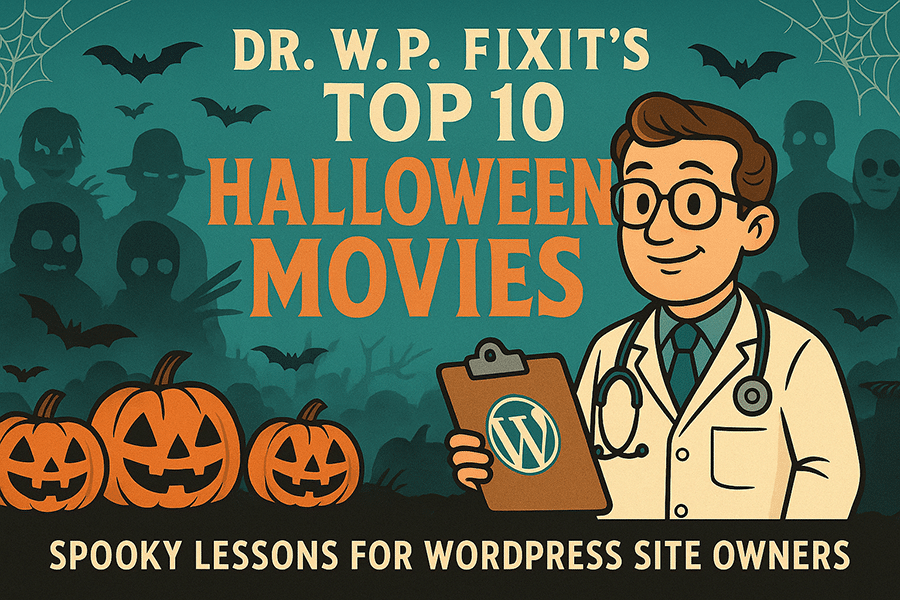
Dr. W.P. Fixit’s Top 10 Favorite Halloween Movies
October is my favorite time of year—not just for the candy corn and pumpkin spice, but for the movies that keep us on the edge of our seats. As the WordPress Doctor, I see a lot of similarities between horror classics and the everyday struggles of website owners. Broken plugins, slow load times, and hacked logins can be just as terrifying as a masked slasher!
So, in true countdown fashion, here are my Top 10 Halloween Movies, each with a WordPress twist to help you keep your site healthy and fast.

#10 – Child’s Play (1988)
Chucky may look like an innocent “Good Guy” doll, but under the surface he’s full of malicious surprises. The same goes for shady plugins or themes downloaded from unreliable sources. They might seem harmless at first, but when that code turns on you, it can take down your whole site.
WordPress Doctor’s Tip: Always vet your plugins and themes. Stick to trusted developers, keep them updated, and avoid “nulled” downloads that may hide malicious code—otherwise, you might be inviting your very own Chucky into your site.

#9 – A Nightmare on Elm Street (1984)
Freddy Krueger attacks when you least expect it—when you’re asleep. Website vulnerabilities work the same way: you may not notice the problem until it’s already causing nightmares like downtime or data loss.
WordPress Doctor’s Tip: Don’t sleep on website maintenance. Schedule regular security scans, firewall protection, and backups so you’re safe even when you’re not paying attention.

#8 – The Texas Chain Saw Massacre (1974)
Leatherface charges at his victims with brute force, creating chaos and panic. A poorly optimized site can feel the same way—overloaded with uncompressed images, bloated code, and no caching strategy. Visitors try to load your pages, and suddenly it’s a massacre of slow speeds and frustrated users fleeing.
WordPress Doctor’s Tip: Speed optimization is your chainsaw defense. Use caching, compress images, and keep your database lean to cut through delays and keep your site lightning fast.

#7 – Trick ’r Treat (2007)
This Halloween anthology reminds us that traditions matter. Ignore the rules, and Sam, the creepy pumpkin-headed enforcer, shows up to teach you a deadly lesson. Your website has rules too: updates, security checks, and performance tuning. Skip them, and you’ll pay the price.
WordPress Doctor’s Tip: Follow your site’s seasonal traditions. Just like Halloween has rituals, set up a recurring schedule for plugin updates, backups, and monitoring—keeping your site safe all year long.

#6 – It’s the Great Pumpkin, Charlie Brown (1966)
Linus sits faithfully in the pumpkin patch, waiting for the Great Pumpkin. It’s endearing, but also a little sad—because no amount of waiting will make it appear. Likewise, waiting around for your site to “fix itself” won’t work.
WordPress Doctor’s Tip: Don’t be a passive pumpkin-patch sitter. If your site is slow, insecure, or outdated, it’s time to take action with professional maintenance—otherwise, you’ll be left waiting for miracles that never come.

#5 – Hocus Pocus (1993)
The Sanderson sisters cast a spell of chaos, but with a little teamwork and strategy, the heroes save the day. WordPress sites can feel the same way—when too many plugins, updates, or errors pile up, it feels like your site is cursed. But with the right care, that curse can be lifted.
WordPress Doctor’s Tip: Sometimes all it takes is a little magic—like speed optimization, database cleanup, and theme updates—to bring your site back from the dead.

#4 – Halloweentown (1998)
This Disney favorite brings us into a magical world where witches, goblins, and monsters live in harmony. WordPress is its own kind of town: themes, plugins, databases, and hosting all need to work together. If one element misbehaves, the whole ecosystem feels out of balance.
WordPress Doctor’s Tip: Think of your site as Halloweentown. Every element has a role to play, and it’s your job (or mine!) to keep the harmony—updating, monitoring, and tuning performance so the magic stays alive.

#3 – The Nightmare Before Christmas (1993)
Jack Skellington tries to take over Christmas with his Halloween style, and while his intentions are good, the execution falls apart. The same happens when business owners try to DIY their websites without the right plan—it looks good at first, but soon everything goes off the rails.
WordPress Doctor’s Tip: Stick to your site’s strengths, but don’t be afraid to bring in an expert when you need help. Whether it’s a holiday redesign or performance upgrades, the right treatment plan can keep your site from turning into a nightmare.

#2 – Halloween (1978)
Michael Myers is the silent, unstoppable force that keeps coming back. For website owners, that’s malware and spam. You think you’ve gotten rid of it, but without strong defenses, it just keeps returning.
WordPress Doctor’s Tip: Don’t let your site become a victim of repeat attacks. Install a solid firewall, monitor login attempts, and keep everything patched so Michael Myers doesn’t sneak back through the backdoor of your website.

#1 – Friday the 13th (1980)
Camp Crystal Lake looks peaceful, but lurking in the shadows is Jason Voorhees—and he never stays down. WordPress websites can be the same: they seem fine on the surface, but hidden vulnerabilities can strike when you least expect it.
WordPress Doctor’s Tip: Regular audits are your survival strategy. By reviewing your site’s performance, security, and health before problems appear, you’ll be one step ahead of the next scare.

Doctor’s Orders
“Whether it’s Michael Myers or malware, Freddy Krueger or failed plugins, the lesson is clear: horror happens when you’re unprepared. Keep your site safe, fast, and functional with regular maintenance, and you’ll sleep a whole lot easier at night.”
— Ready for your own WordPress site checkup? Book your free audit with The WordPress Doctor and avoid any scary surprises this season.