Your WordPress website is often the first impression potential customers get of your business. But just like a car needs regular maintenance to stay on the road, your website needs ongoing care to stay secure, fast, and functional.
Neglecting your site can lead to unexpected crashes, security breaches, and lost sales. Here are 10 signs it’s time for a professional WordPress check-up — before things go from bad to worse.
1. Your Site Is Running Slower Than Usual
If your pages take more than a few seconds to load, visitors are bouncing — and search engines are noticing. Speed issues are often caused by outdated plugins, bloated themes, or hosting misconfigurations.
👉 Solution: A tune-up can identify speed bottlenecks and optimize performance for faster load times.
2. You Haven’t Updated Plugins or Themes in Months
Outdated plugins are one of the biggest entry points for hackers. Regular updates ensure your site stays secure, compatible, and bug-free.
👉 Solution: Keep your plugins, themes, and WordPress core updated as part of routine maintenance.
3. You’re Not Backing Up Your Website
If your website crashed today, could you recover it? If not, you’re at serious risk. Backups are your insurance policy.
👉 Solution: Schedule automatic daily backups stored in a secure, offsite location.
4. Your Contact Forms or Checkout Pages Are Broken
If visitors can’t reach you or complete a purchase, you’re losing business. These issues often go unnoticed until someone complains — or leaves for a competitor.
👉 Solution: Regular functional testing keeps critical features working smoothly.
5. You See Strange Popups or Redirects
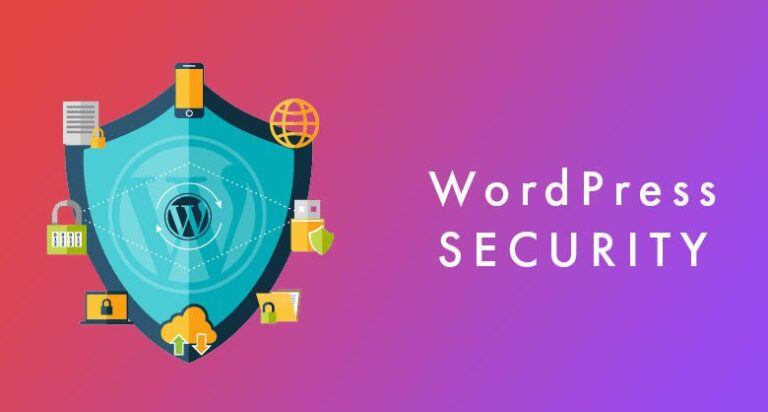
Random popups, spammy links, or unexpected redirects could mean your site has been hacked.
👉 Solution: A malware scan and security sweep can catch intrusions before they escalate.
6. You’re Getting More Spam Than Usual
An increase in spam comments, contact form submissions, or user registrations is a red flag that your security settings are outdated.
👉 Solution: A maintenance check-up can harden your security and block bots and spam.
7. Your Website Looks Bad on Mobile Devices
Over half of website traffic comes from mobile. If your site isn’t mobile-friendly, you’re losing credibility and customers.
👉 Solution: A design audit can identify responsiveness issues and improve mobile UX.
8. You Don’t Know What’s Going On With Your Traffic
Are people visiting your site? Where are they coming from? If you don’t have Google Analytics or another tracking tool set up, you’re flying blind.
👉 Solution: A website check-up includes installing or reviewing analytics so you can make informed decisions.
9. Your Site Still Has ‘Coming Soon’ or Outdated Content
If your homepage still references last year’s event or your blog hasn’t been updated in months, it makes your business look inactive.
👉 Solution: Content updates and fresh visuals should be part of routine website care.
10. You’re Not Sure Who Has Admin Access
If multiple people have login access — including old employees or freelancers — you could be one bad password away from disaster.
👉 Solution: A user access audit ensures only trusted individuals can manage your site.
Don’t Wait for a Crash — Schedule Your WordPress Check-Up Today
Website issues rarely announce themselves. By the time you notice, the damage may already be done. A WordPress website check-up can prevent:
-
Lost leads and sales
-
SEO drops
-
Downtime
-
Security breaches
Don’t Let Your Website Fall Apart While You Sleep
Let The WordPress Doctor keep it fast, secure, and glitch-free 24/7.
✅ Core & Plugin Updates
✅ Speed Optimization
✅ Backups & Security Monitoring
✅ Expert Support When You Need It Most
🛠️ Schedule Your Free Site Check-Up Today!
📞 814-402-0680 | 🌐 wpsitedoctor.com