
The Ultimate Guide to WordPress Backup Solutions and Disaster Recovery
Your WordPress site just vanished—no warning, no backup. That lost data can bring your business to a halt. Regular WordPress backup and a solid disaster recovery plan aren’t optional; they’re your site’s lifeline. In this guide, you’ll get clear, actionable steps to protect your site and keep it running no matter what hits. Learn more about effective strategies here.
Importance of WordPress Backup

When your WordPress site disappears without notice, you suddenly realize how crucial backups are. They don’t just save your data; they save your business.
Protecting Your Data
Your website houses valuable information, from customer details to product listings. Losing this data can feel like losing your business. Regular backups ensure you can restore your site without missing a beat. Imagine waking up to find your site corrupted after a plugin update. Without a backup, you’re stuck. With one, you just restore, breathe easy, and move on. Check out this guide on backing up your WordPress site for more details.
Avoiding Downtime
Every minute your site is down, you lose potential business. Regular backups mean quick recovery. Think of a restaurant losing a whole evening’s reservation list. A backup would solve the problem in minutes. Without it, chaos ensues. Backups translate to business continuity, protecting your reputation and bottom line.
Effective Disaster Recovery Strategies

After understanding the importance of backups, the next step is to craft a recovery plan that kicks in when disaster strikes.
Planning for Emergencies
Being prepared for emergencies means less stress and faster solutions. Start by identifying potential risks, like server failures or cyber attacks. Create a plan that includes roles, responsibilities, and communication strategies. Keep all team members informed. This preparation can be as simple as a shared document outlining steps to take during a crisis, ensuring everyone knows their role when time is of the essence. For an in-depth look, visit this disaster recovery guide.
Implementing Recovery Tools
Having the right tools can make recovery smooth and efficient. Choose plugins and services that offer automated backup options, one-click restores, and real-time monitoring. These tools should integrate seamlessly with your existing WordPress setup. Reliability is key—test these tools regularly to ensure they work when needed. This disaster recovery guide outlines essential tools and methods.
Enhancing Website Security

Once your backup and recovery plans are set, focus on strengthening your website’s security to prevent issues before they start.
Regular WordPress Maintenance
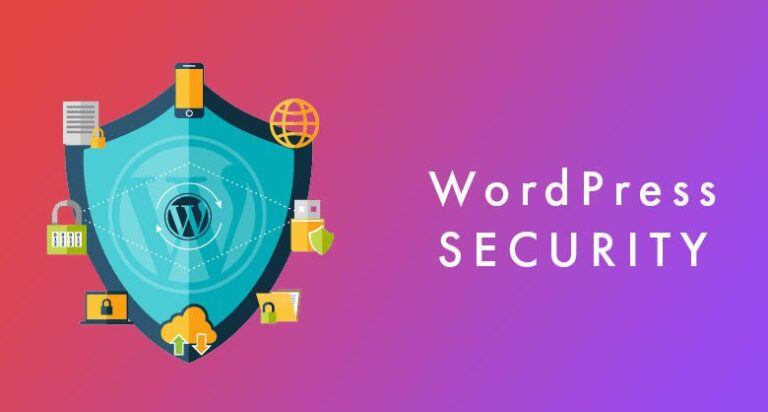
Routine maintenance keeps your site running smoothly. Update themes and plugins to patch vulnerabilities. Conduct regular scans for malware and fix any detected issues immediately. These actions protect your site and keep it in top shape, much like regular health checkups keep you well. Maintenance isn’t just about fixing problems—it’s about preventing them. For a comprehensive guide, check out this WordPress security maintenance plan.
Expert Solutions from WP Site Doctor 🚀
When it comes to protecting your site, leaning on experts can make all the difference. At WP Site Doctor, we offer tailored solutions that cover everything from regular backups to emergency recovery. Our team uses trusted tools and methods to ensure your site is secure and resilient. Most people think they can handle it all, but expert help ensures nothing is overlooked.
Here’s the key insight: the longer you wait, the more you risk. Get proactive and secure your site’s future. Get a Free WordPress Website Audit. Our audit will identify vulnerabilities and suggest improvements tailored to your needs.
By prioritizing these strategies, you’ll protect your business and gain peace of mind. Your WordPress site deserves the best care—just like you do.