
If you’re running a WordPress site, regular maintenance isn’t just a good idea—it’s essential. Like any digital asset, a website requires upkeep to stay secure, fast, and functional. But how often should you actually perform WordPress maintenance?
Let’s break down the ideal maintenance schedule and why it matters for your site’s health and performance.
Why WordPress Maintenance Is Important
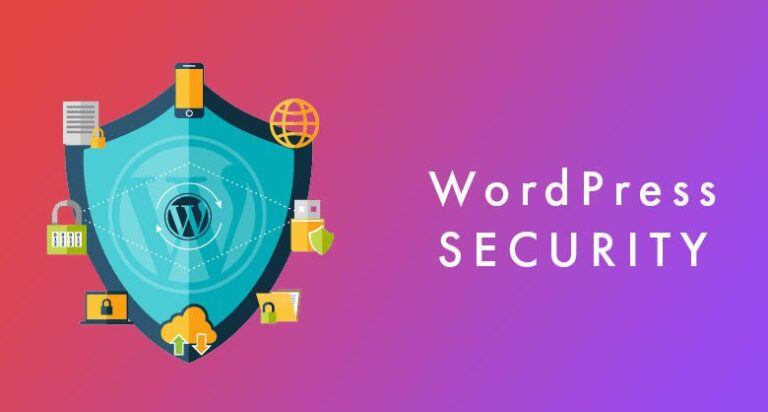
WordPress powers over 40% of all websites, making it a popular target for hackers and malware. Regular maintenance helps prevent security issues, ensures plugin compatibility, improves loading speeds, and guarantees your visitors have a seamless experience. Plus, it helps you avoid the dreaded white screen of death or site outages during peak traffic.
WordPress Maintenance Tasks & How Often to Perform Them
1. Weekly Tasks
-
Check for Updates:
WordPress core, plugins, and themes often receive updates. Apply them weekly to patch security vulnerabilities and improve performance. -
Backup Your Website:
Set up automatic backups, but also manually verify that they’re working. Weekly (or even daily for active sites) backups are crucial. -
Moderate Comments:
Clear out spam and respond to genuine user engagement to maintain your site’s credibility. -
Check for Broken Links:
Use tools like Broken Link Checker or Ahrefs to find and fix broken links. This improves user experience and SEO.
2. Monthly Tasks
-
Performance Check:
Use tools like GTmetrix or Google PageSpeed Insights to test your site’s load time and fix performance bottlenecks. -
Review Analytics:
Dive into Google Analytics or another analytics tool to track traffic trends and identify what content is performing best. -
Security Scan:
Run a full-site malware and security scan using plugins like Wordfence or Sucuri.
3. Quarterly Tasks
-
Content Audit:
Review and update old blog posts, fix outdated links, and refresh information for SEO and user value. -
Review Plugins and Themes:
Deactivate or remove unused plugins/themes. Outdated tools can become security risks or slow your site down. -
Check Mobile Responsiveness:
Ensure your site still looks and works great on all devices—especially after updates.
4. Annual Tasks
-
Renew Hosting and Domain Name:
Avoid downtime by renewing services on time. Consider upgrading your hosting plan if your traffic has increased. -
Evaluate SEO Strategy:
Review keyword rankings, backlink health, and SEO performance. Adjust your strategy as needed. -
Redesign or Refresh Your Site:
A minor design update or full revamp can keep your brand fresh and appealing.
Pro Tip: Use a Maintenance Checklist
A checklist or maintenance plugin (like WP Maintenance or ManageWP) can help you stay organized and automate routine tasks. If you manage multiple WordPress sites, tools like MainWP or InfiniteWP can make the job significantly easier.
Final Thoughts
Website maintenance isn’t a one-time task—it’s an ongoing commitment. How often you maintain your WordPress site depends on how active and complex your site is, but a solid schedule of weekly, monthly, quarterly, and annual tasks will go a long way in keeping everything running smoothly.
Think of it like car maintenance: skip too many oil changes, and things break down. Stay on top of it, and your site will reward you with speed, security, and success.
Need help maintaining your WordPress site?
Consider hiring a professional or subscribing to a maintenance plan to take the stress off your plate. Your website deserves it.